- Offline
- Technician app
- Field service
Why field service apps must work offline
How do you close a job in a basement, cold room or plant room with no signal? Why offline matters in a technician app and what to test before choosing one.
· 6 min read
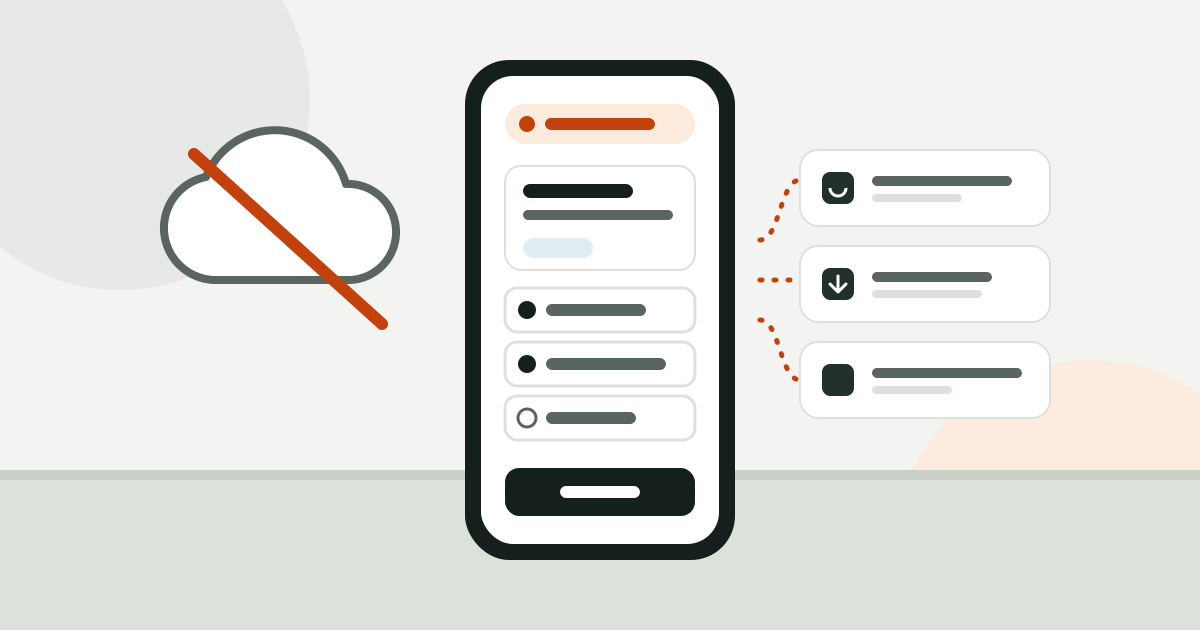
Most maintenance work happens where phones get the weakest signal: the generator room on the car park level, the cold room behind a supermarket’s storeroom, the air handling unit on the roof, the plant room behind thick concrete. Cold room panels and lift shafts block signal too. If the app says “no connection” halfway through a job, the checklist goes back to paper.
This piece covers why a field app has to work without a connection, what to check in an app that claims “offline support”, and how it affects the accuracy of your maintenance records.
What happens when the connection drops
With an app that only works online, one of three things happens when the signal goes:
- The technician waits. Walks outside, looks for signal, tries again. The job takes longer.
- The technician writes it down and enters it later. Readings go on a scrap of paper, into a notes app, or into memory, and get typed in at the office or in the van that evening. Some never make it, some go in wrong.
- The technician skips it. The work is done but not on record.
You pay for the second and third case later. A temperature typed in wrong, a missing photo or a refrigerant top-up that was never logged puts you in a weak position during an audit or a warranty dispute.
Why records must be complete
Maintenance records are not only for internal tracking. For some equipment the law asks for them too. Two examples from Turkey:
- Under Annex III of the Turkish regulation on health and safety in the use of work equipment, maintenance and repair records of work equipment are kept for the equipment’s whole service life, and the operator’s pre-use visual check is recorded (mevzuat.gov.tr).
- The Turkish regulation on fluorinated greenhouse gases requires activities such as leak checks and servicing to be entered into the EKOMVET system within 30 working days (iklim.gov.tr). That entry depends on the refrigerant added and recovered on site being written down correctly at the time.
Every value copied over from paper later weakens those records. A reading should be entered where and when it is taken, and the only way to do that is an app that works without signal.
What “offline support” should mean
Many apps promise offline support but in practice only cache the last screen you opened. You can test real offline support with these questions.
Is the technician’s work on the device?
Even if the technician does not open the app before heading into the basement, their open jobs and their team’s, with the assets, locations and checklists that belong to them, should already be on the phone. So should configuration such as statuses, fault types, measurement types and the parts catalogue.
What can be done without signal?
Everything a technician does at the start and end of a job should work offline:
| Action | Should it work offline? |
|---|---|
| Open and read a work order | Yes |
| Start work, put a job on hold | Yes |
| Fill in a checklist, enter readings | Yes |
| Add notes, take photos | Yes |
| Raise a part request | Yes |
| Complete the job | Yes |
| Reassign, approve, change settings | No, that is the office’s job |
The last row matters too. Allowing everything offline increases the risk of conflicts. Requiring a connection for management actions such as assignment and approval is a deliberate limit.
Can the technician see what has not been sent?
The most dangerous part of working offline is uncertainty: the technician thinks the job is closed, but the record is still on the phone. The app needs a sync indicator that is always visible: how many operations are waiting, how many photos are uploading. One tap should open the list of what is pending.
What happens on a conflict?
While the technician was in the basement, a manager may have cancelled the work order. When the connection comes back, what happens to the “job completed” action? The right answer: the server decides. An invalid action is rejected and the technician sees why. Append-only records such as notes, photos and readings do not conflict and are never lost.
A sync that silently overwrites or silently drops data is worse than no sync at all.
Can the same action be sent twice?
On a weak connection a request can reach the server while the reply never makes it back to the phone. The app retries. Every action needs its own ID, and the server must not process the same one twice. Otherwise the same part shows as used twice and the same note appears twice.
What about photos?
Photos are the heaviest data and the first thing to get stuck on a poor connection. A good app shrinks the photo on the device, strips location and device data (EXIF, GPS), and uploads it in a separate queue that keeps going in the background. An action that refers to a photo should not be sent until that photo has finished uploading.
What to tell your technicians
However good the technology, the team has to know how it behaves. Repeat these three sentences in the first week:
- “No signal? Keep working in the app, don’t switch to paper.”
- “When you come out, check the sync indicator and make sure nothing is left waiting.”
- “If you see a rejected action, read the reason and call the office if you need to.”
How offline works in Saha
Saha’s iOS and Android technician apps write to the device first for assigned work. The open work orders of the technician and their team, with the related assets, locations, checklists and part requests, live on the phone. The app refreshes on launch, when it comes to the foreground, on pull to refresh and after a notification.
Without signal the technician opens the work order, starts work, fills in the checklist and enters readings, and sees straight away when a reading is out of range. They add notes and photos, raise part requests and complete the job. Every change goes into an outbox on the phone and is sent in order once the connection is back. The server processes each operation once and has the final word. A rejected operation shows up on the sync screen with the reason the server gave. The sync indicator at the top is always visible; tapping it shows pending operations, uploading photos and a “Try now” button.
Photos are resized on the device, EXIF and GPS data are removed, and they upload in their own queue. Assignment, approval and settings deliberately need a connection.
We cover adding readings and limits to checklists in building a preventive maintenance checklist with measurements.
The bottom line
Offline support is not a line on a feature list; it is what keeps your records accurate. Before choosing an app, put the phone in airplane mode, close a job from start to finish, turn the connection back on and see what happens. Those five minutes tell you more than any brochure. If you want to run that test with Saha, create a free account.